First Impressions of Antigravity IDE: A VSCode User's Perspective
As a long-time VSCode user, I recently decided to give the Antigravity IDE (AGV) a try. It's always interesting to see new tools in the developer space, especially ones that promise to enhance the coding workflow.
My first task was giving this repo a proper README.md. I simply asked AGV to "write a README for this project," and it was impressive to watch. It analyzed my directory structure—noting the content, themes, and config folders standard in Hugo sites—and generated a comprehensive guide. It correctly identified the project type, included installation steps for Hugo, and even added instructions for running the local server.
It felt intuitive and handled the context awareness smoothly. Instead of a generic template, I got a tailored document that I could use immediately. This kind of "smart" assistance is exactly what I look for in a modern IDE.
Another improved workflow was handling git submodules. When I first opened the project, the themes/hugo-clarity folder was empty—I'd forgotten to clone recursively. AGV immediately flagged the missing dependency and offered a one-click fix to initialize and update the submodule. It saved me the trip to StackOverflow to remember the exact git command.
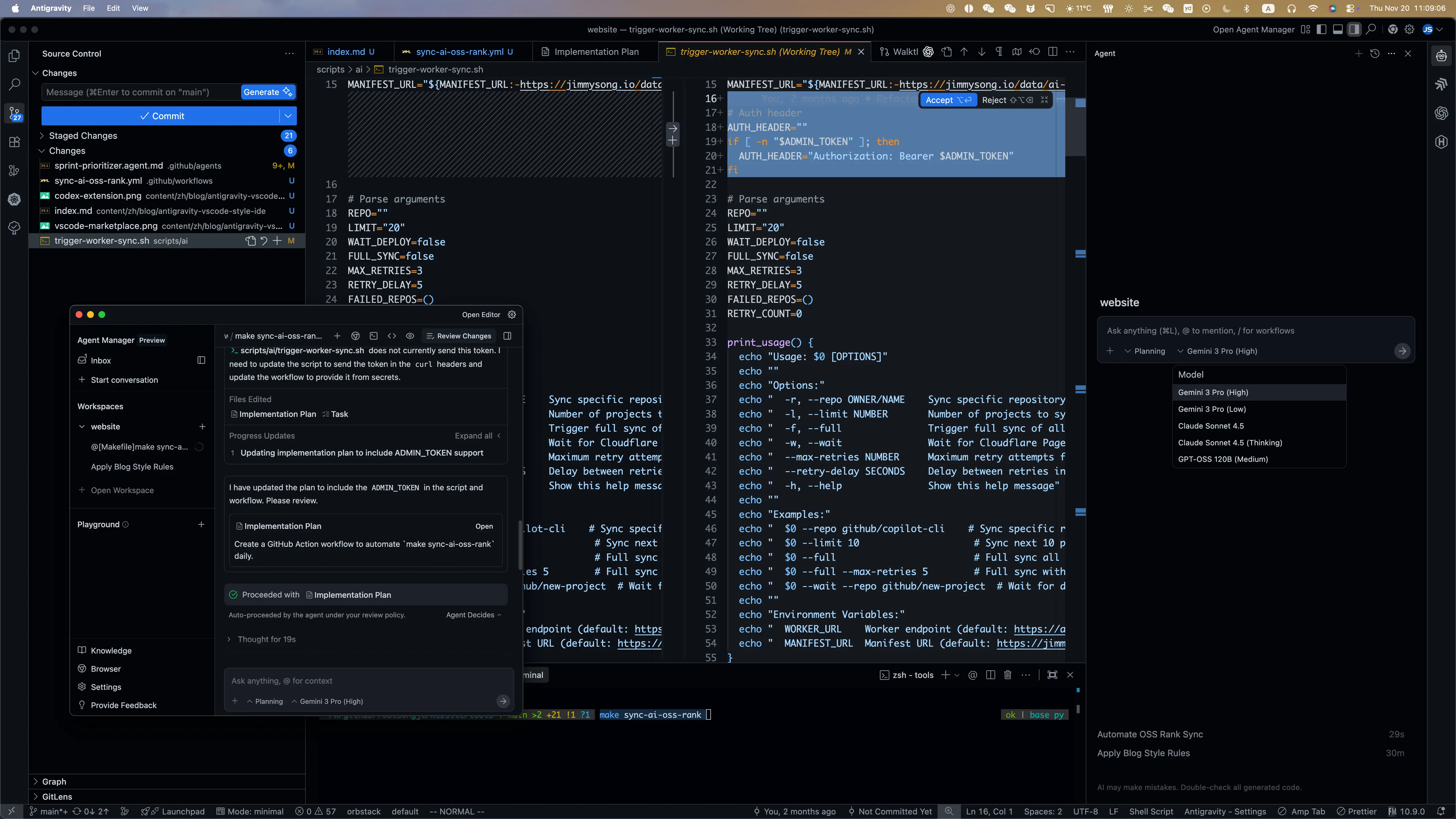
VSCode vs Antigravity: The AI Advantage
Coming from VSCode, the difference is subtle but profound. In VSCode, AI tools like Copilot feel like extensions—plugins that sit on top of the editor. In Antigravity, the AI feels like part of the editor.
One major plus is the usage model. I've found Gemini's free usage tier to be surprisingly generous compared to Copilot's subscription model. It encourages me to use the AI for small things—like "what's the regex for this?"—without checking a quota or worrying about a monthly bill. It makes the "pair programming" experience feel much more continuous and natural.
| Feature | Antigravity (Gemini) Free Tier | GitHub Copilot Free |
|---|---|---|
| Chat Quota | ~1,500 requests / day (Flash models)* | 50 requests / month |
| Completions | Generous daily RPM limits | 2,000 / month |
| Reset Cycle | Daily | Monthly |
| Feel | "Always there" | "Rationed" |
Based on standard Google AI Studio free tier limits for Flash models (which AGV often utilizes). Copilot Free's 50 monthly chat messages feel very restrictive by comparison.
Given this significant difference in quotas, I highly recommend Antigravity IDE for developers relying on free tiers. If you are a developer who uses AI assistance but doesn't heavily rely on autonomous agents, the generous daily limits of Gemini allow for a much more practical and continuous free workflow than Copilot's strict monthly cap.
I'm looking forward to exploring more of its features and seeing how it compares to my usual setup. But for now, it's off to a good start!